Network and Internet
RJ45 Color Codes: T568A and T568B Wiring
RJ45 color codesshow how the eight Ethernet cable conductors connect to pins under T568A or T568B. T568B uses white-orange, orange, white-green, blue, white-blue, green, white-brown and brown. Compare both standards pin by pin below, then check connector orientation, straight/crossover wiring and testing.
The Ethernet plug commonly called RJ45 is usually an 8P8C connector. Cable/connector compatibility, preserving twisted pairs and testing after termination matter alongside the correct color order.
Technical review: 17 November 2026.
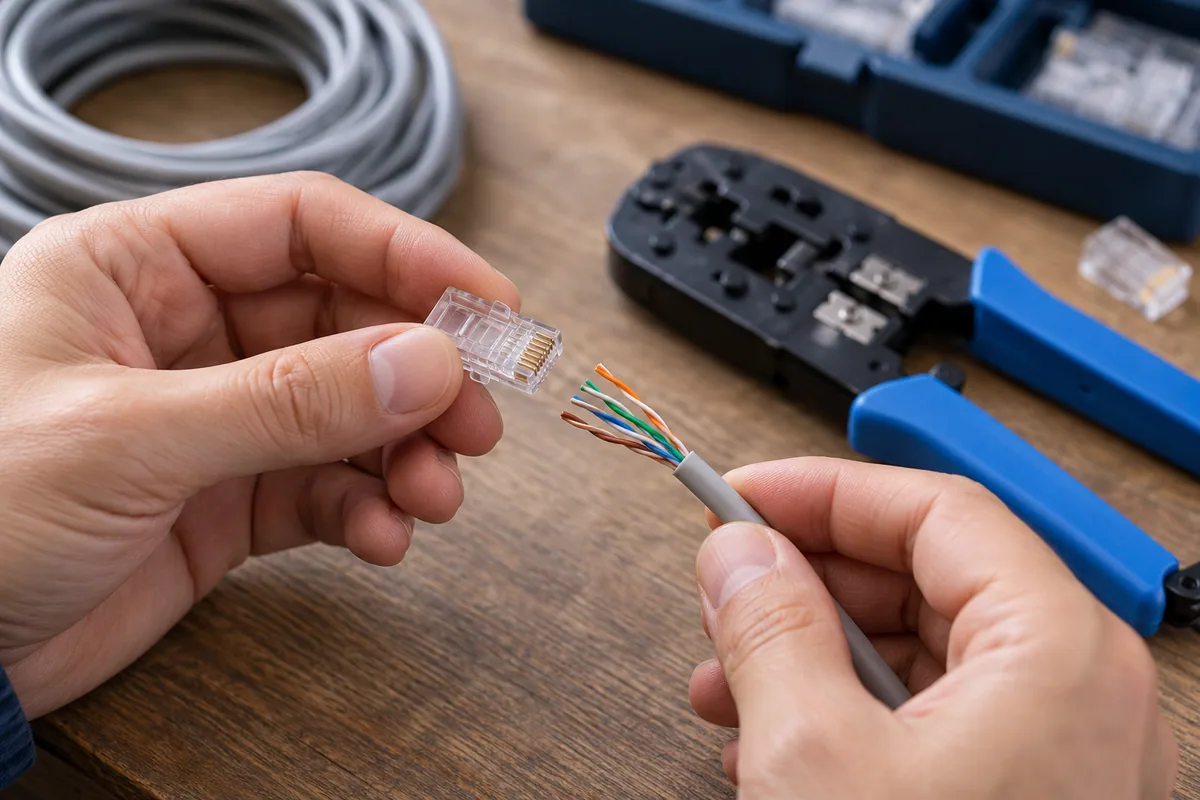
RJ45 cable connection: RJ45 color codes: T568A and T568B pin table
| Pin | T568A | T568B |
|---|---|---|
| 1 | White-green | White-orange |
| 2 | Green | Orange |
| 3 | White-orange | White-green |
| 4 | Blue | Blue |
| 5 | White-blue | White-blue |
| 6 | Orange | Green |
| 7 | White-brown | White-brown |
| 8 | Brown | Brown |
T568A and T568B swap the green and orange pairs; blue and brown pairs remain unchanged. T568A does not inherently make a cable faster. Follow the project’s specified scheme and the existing installation standard.
Physical conductor positions in outlets, keystone jacks and patch panels vary by product. Follow the manufacturer’s A/B markings instead of copying the plug’s left-to-right sequence.
RJ45 cable connection: Which way should you read RJ45 pin colors?
Hold the plug with gold contacts facing you, the latch on the far side and cable entry below. Pins read 1–8 from left to right in this view. Flipping the plug or viewing the opposite end mirrors the order. Before crimping, verify pin 1 against the connector manufacturer’s drawing.
Fluke Networks T568A/T568B description and connector manufacturer’s orientation guide can be used for comparison.
How are straight-through and crossover Ethernet cables wired?
Straight-through cable: Use T568A–T568A or T568B–T568B at both ends. Pin 1 connects to pin 1, pin 2 to pin 2, and each remaining pin to the same number.
Classic 10/100 Mbps crossover cable: Use T568A at one end and T568B at the other, crossing 1↔3 and 2↔6. This is not one universal crossover scheme for every speed and device. Gigabit uses all four pairs; follow the device manufacturer’s pin diagram when a dedicated crossover cable is needed.
Ports with enabled Auto-MDI/MDIX may adapt straight-through/crossover wiring automatically. Still, do not mix A/B randomly in an installation; retain the specified scheme, labels and testing process. Cisco’s cable and Auto-MDIX descriptions details device behavior.
RJ45 cable connection: RJ45 termination steps
- Select clamping tool with connector suitable for cable category, vessel type and thickness.
- Open the outer sheath until it is necessary to damage the veins.
- Index of the diagrams selected by the veins while retaining the twist of couples as much as possible.
- Prepare the veins in equal size and check that all enters the right channel.
- Make sure the case connector stays in the holder section.
- Tighten the manufacturer's way described; test two ends visually and electrically.
Why can the connection work?
It can lead to the contact problem of a vein connector, improper color sequence or non-cable connector. The mismatch of the couples may disrupt data transmission even if they appear continuity. Sharp twists and damaged cable should also be evaluated.
Connection errors in PoE used lines can affect both data and energy transmission. Take the link before starting to finish the line connected to the active equipment. The appropriate socket and panel termination in the permanent building installation often offers a more regular solution than producing random patch cable on the field.
How to evaluate the test result?
Simple cable tester controls pin matches. More comprehensive line measurement is used to evaluate performance problems and category suitability. Opening of the network connection does not mean that the line meets all requirements.
End tag in corporate application, connection diagram and measurement result should be recorded. A defective line is re-tested again when it is restarted. Thus, it is achieved not only working on that day, but a connection that can be traced during maintenance.
RJ45 connection testing checklist
- Disconnect the link from active equipment and PoE sources; follow the tester’s instructions.
- Inspect both ends: Do conductors reach the end, is the jacket secured, and is pin orientation correct?
- Use a wire map test to detect opens, shorts, reversals and crossed pins. A straight-through cable should match all eight pins one to one.
- Verify that your tester detects split pairs. A simple continuity test can show correct pin numbers while twisted pairs are incorrectly assigned.
- Use suitable equipment for the application qualification or category certification the service requires. Do not present continuity results as category certification.
- Record cable ID, labels, wiring scheme and results. Retest after retermination.
A connection negotiating only 100 Mbps is not a definitive fault diagnosis by itself. Check port settings, all four pairs, patch leads and active equipment capabilities together. Fluke Networks wire map guideexplains why checking colors alone cannot identify every split pair.
Frequently Asked Questions
Should I use T568A or T568B for RJ45?
Monitor the specified standard and existing installation in the project. In the flat cable, it is necessary to terminate two ends with the same scheme.
Is the test superfluous if the color sequence is correct?
No. No visual control contact problem, damage or all performance conditions. After finishing, the test should be done.
Does each RJ45 plug fit to every cable?
No. Cable category is important in the selection of single wire or multi-wire structure and vein diameter connector.
Corporate network installation and wiring support
For your existing infrastructure and priorities Quad Bilişim structured cabling services Check out. To clarify the scope Contact us.
Resources & Advanced Reading
Product specifications and license conditions may vary; Check the relevant official documents before application.
