NETWORKING AND INTERNET · STRUCTURED CABLING
How to Read a Data Cabling Test Report
Read a data cabling test report by considering the link ID, selected test limit, connection scope and measurement record together, not just a green result screen. First identify the question being answered: is the wiring connected correctly, does it support a particular application, or was it measured against a selected cabling limit?
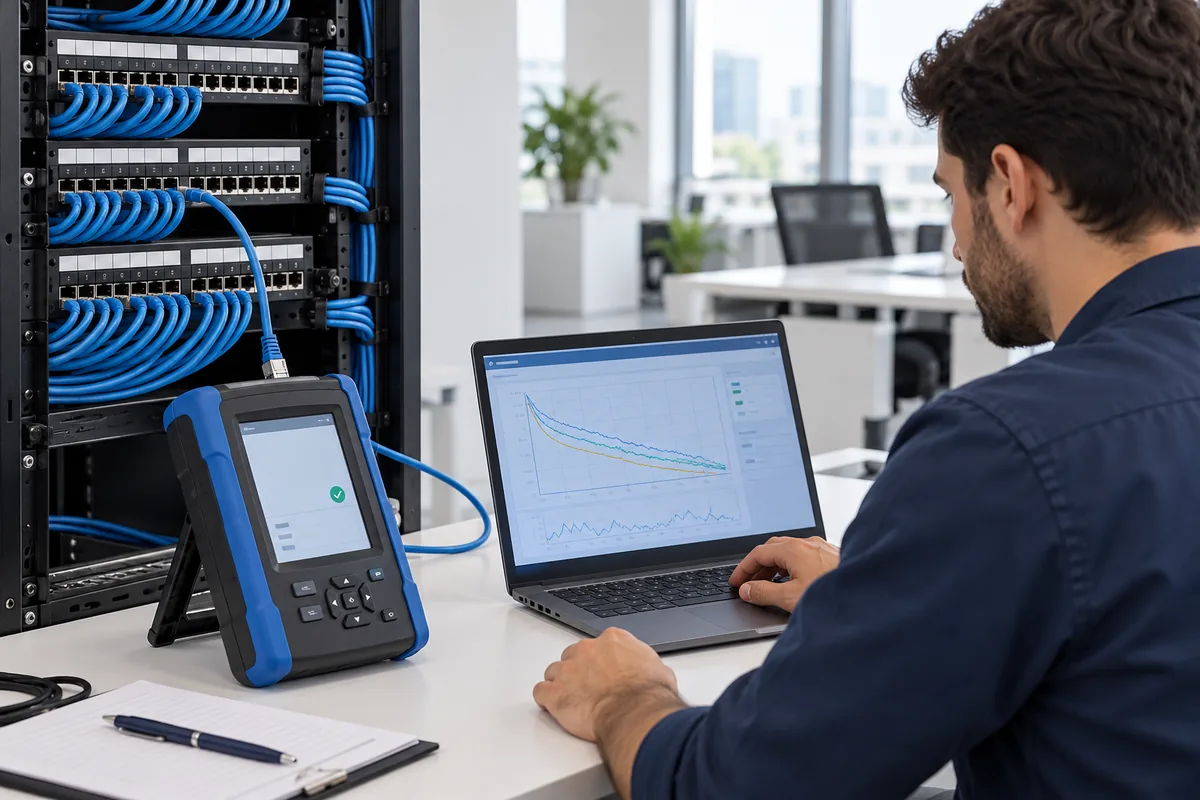
First establish what the test demonstrates
Fluke Networks distinguishes verification, qualification and certification tools by the questions they answer. Continuity or wiremap checks look for basic wiring faults. Qualification assesses support for a specified network technology. Certification compares measurements with a selected cabling standard and test limit. The phrase “tested” therefore does not always describe the same level of assurance.
An office manager reading the report does not need to calculate every measurement parameter. However, they should question whether the method recorded matches the required deliverable. If certification was specified, do not accept a screen showing only conductor order as a complete handover.
Do not confuse permanent-link and channel scope
A permanent link is a connection model covering the fixed cabling section, excluding user and equipment patch cords. Channel testing also includes the end cords used in that configuration. The model named in the report, adapters and selected limit must be consistent.
Selecting Cat6A as the cable type on a tester does not turn a result measured against a lower test limit into a Cat6A report. Fluke Networks explains this distinction in its test-limit guidance. If the manufacturer or project requires a particular limit, the installer should confirm it before starting.
A checklist for the handover file
The following record layout is an original handover checklist, not a real measurement result or mandatory manufacturer form. Fields marked “to be verified” must not be presented as completed tests.
| Field | Check question | Action if missing |
|---|---|---|
| Link ID | Does it match the outlet and panel record? | Verify the mapping |
| Test limit | Are the required category and model recorded? | Request an explanation from the installer |
| Instrument and date | Which instrument was used, and when? | Request the source file |
| Result and retest | Which is the latest accepted record? | Keep correction history separate |
Manage failed and missing records separately
Deleting the earlier file does not correct a failed result. Request correction and retest records tied to the link ID. List missing, failed and accepted links separately so the completed scope is clear. Do not infer acceptance limits, instrument accuracy or certificate validity from a photograph.
A correct project name on the report is not sufficient by itself. If a label changed, preserve a traceable mapping between the old and new link codes. Keep measurement files in an authorised project handover location rather than solely in one person’s inbox.
Cabling measurements do not cover the entire network application
An accepted passive-link record does not establish that the switch configuration, internet circuit or Wi-Fi coverage is suitable. Document application checks as separate acceptance steps. This article is not a tester menu tutorial; an appropriately qualified installer must select the test setup.
To agree the records needed during the survey, use the office cabling survey guideand create consistent link names with the labeling plan .
Frequently asked questions
Does an internet speed test count as cabling certification?
No. An internet speed test observes an end-to-end path affected by other components. It cannot replace certification against a selected cabling limit.
How should PASS* and FAIL* results be reviewed?
An asterisk in a test report identifies a measurement close to the selected limit, within the instrument’s measurement uncertainty region. PASS* and FAIL* are different outcomes; the asterisk alone says nothing about packet loss, internet speed or a manufacturer warranty.
| Status | What should you distinguish? | Handover record |
|---|---|---|
| PASS | A passing result against the selected limit. | Retain it with the link identifier and test scope. |
| PASS* | A result on the passing side, close to the measurement uncertainty region. | Record the parameter and margin; compare acceptance requirements with project and instrument documentation. |
| FAIL or FAIL* | A failed result; an asterisk does not turn FAIL* into a pass. | Link the corrective work and retest file to the same link identifier. |
Fluke Networks explains that standards-based assessment and manufacturer warranty requirements can differ. AEM also recommends diagnostics for marginal results. Do not invent a universal dB acceptance threshold: read the contract method, selected test limit and instrument documentation together.
Fillable review record for a marginal result
Link / outlet–panel mapping: [ ] · Report file and date: [ ] · Link model and limit: [ ] · Starred parameter / pair / frequency: [ ] · Reported margin and unit: [ ] · Instrument / adapter details: [ ] · Project acceptance rule and owner: [ ] · Correction / retest file: [ ]
This blank record is not an actual measurement or approval. Changing the limit to obtain an easier PASS does not replace the contracted test. It does not imply that Quad owns a particular tester or participates in a manufacturer warranty programme.
Additional technical sources
Structured cabling service scope
Discuss the requirements and handover expectations for your Istanbul office within our structured cabling service scope. This guide does not promise a price, installation outcome or manufacturer warranty.
Technical sources
- Fluke Networks: Verification, Qualification and Certification
- Fluke Networks: Choosing the Test Limit
Sources checked: 26 October 2026. The assessment table, steps and hypothetical example are original working suggestions by Quad Bilişim, not a price or outcome guarantee.